Configuring ISA
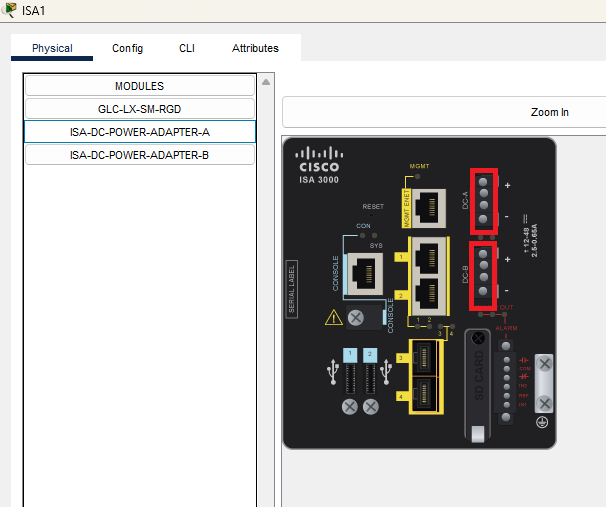
To add ISA DC power adapters, place the CURSOR position onto the correct place on the device within the rectangle boundaries.
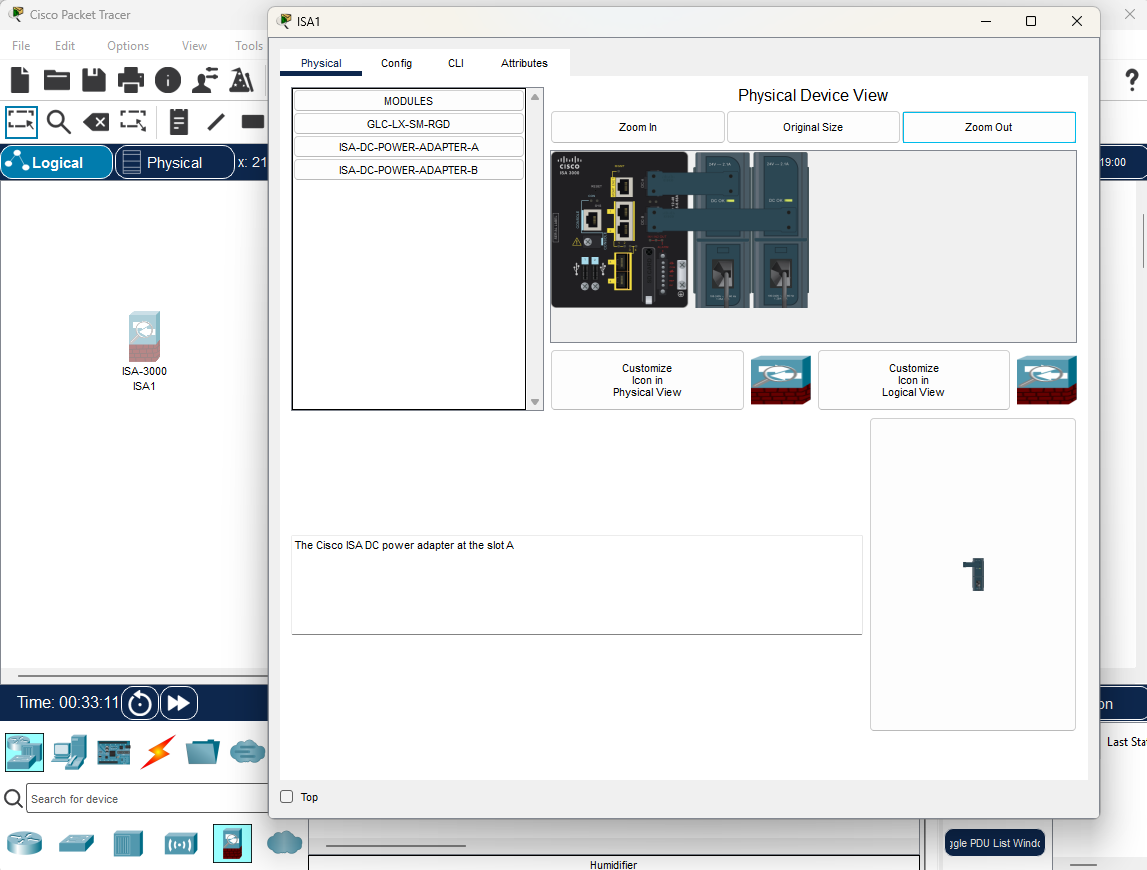
The Config tab for the ISA offers three general levels of configuration: global, clientless vpn, and interface. The global level and interface levels offer the same settings as a switch. Note that the Config tab provides an alternative to the CLI only for some simple, common features; to access the full set of ISA commands that have been modeled you must use the CLI tab.
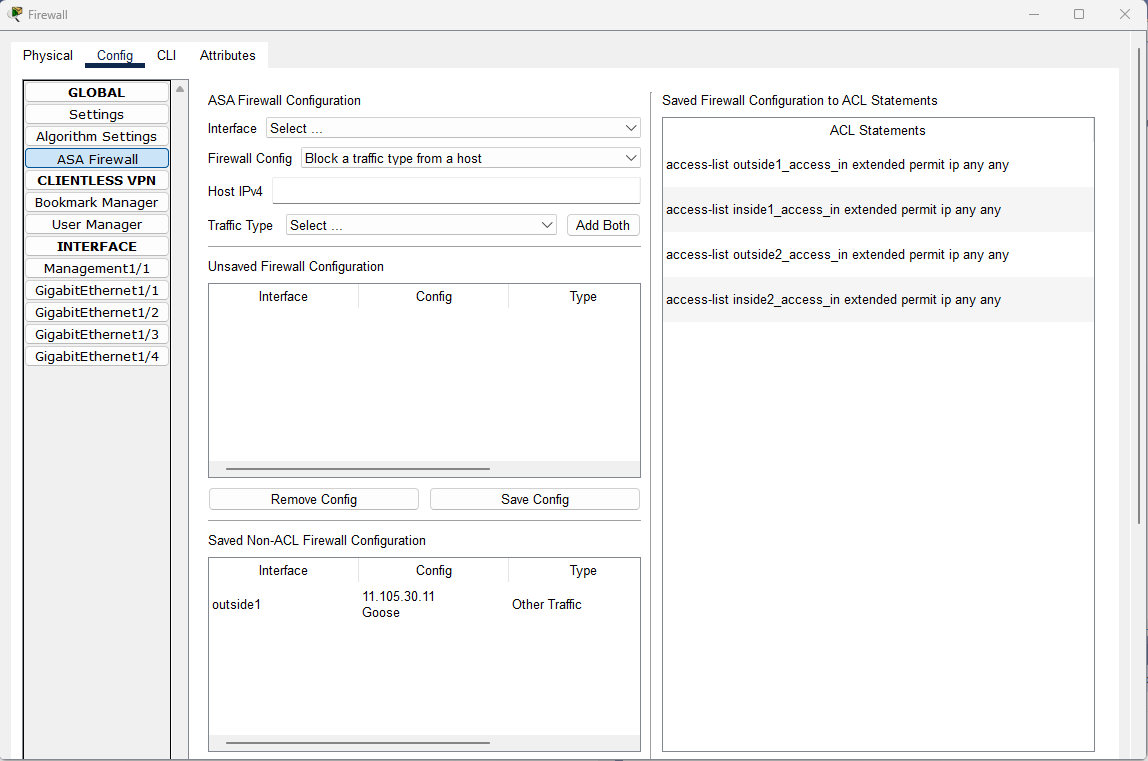
ISA Firewall can be configured under the Global Settings > ASA Firewall.
Throughout your configurations in the Config tab, the lower window will display the equivalent CLI commands for all your actions.
Global Settings, Algorithm Settings, Interface
For these sections of the Config tab, please refer to the Switches page as they function similarly with the ISA config tab
For this section of the Config tab, please refer to the ASA page as they function similarly with the ISA config tab
ISA Firewall Configuration
For the ISA Firewall Configuration, users can configure an interface with the following firewall settings:
- Block a source IPv4 address
- Block a destination IPv4 address
- Block a URL
- Block a URL from a host
- Block a traffic type
- Block a traffic type from a host
To configure Firewall on an ISA-3000, create the device, go to the Config dialog and click on the button ASA Firewall.
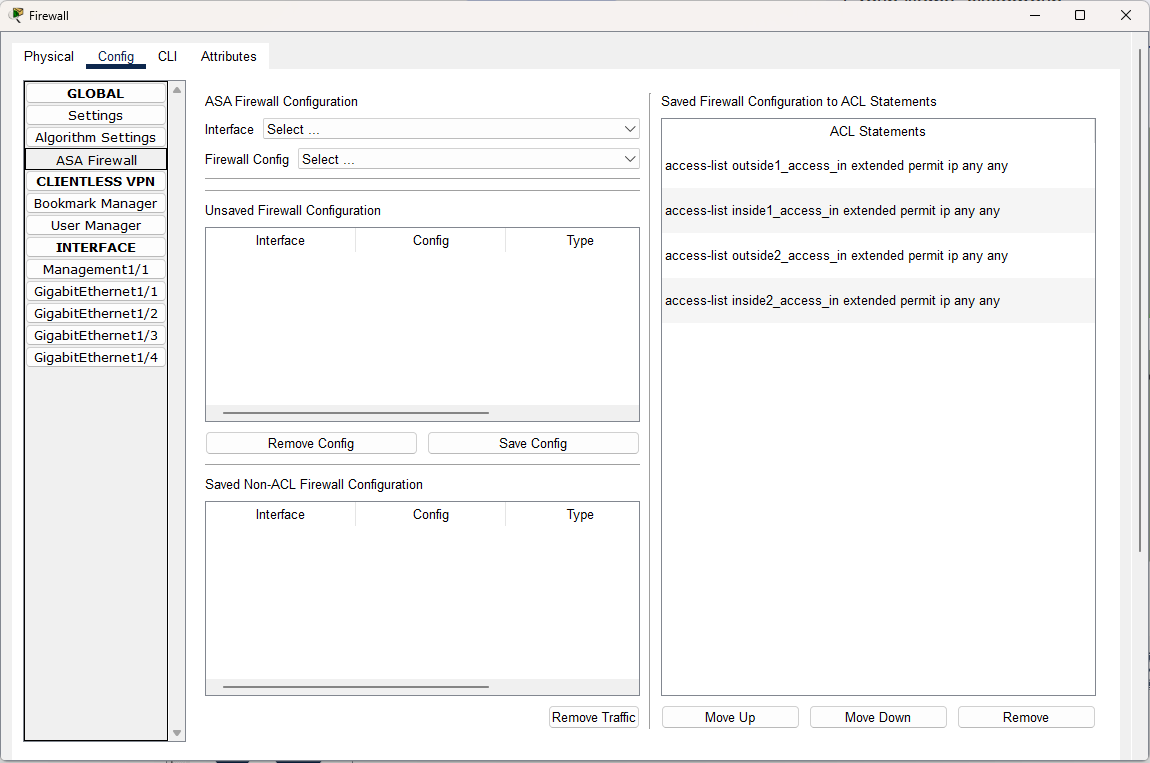
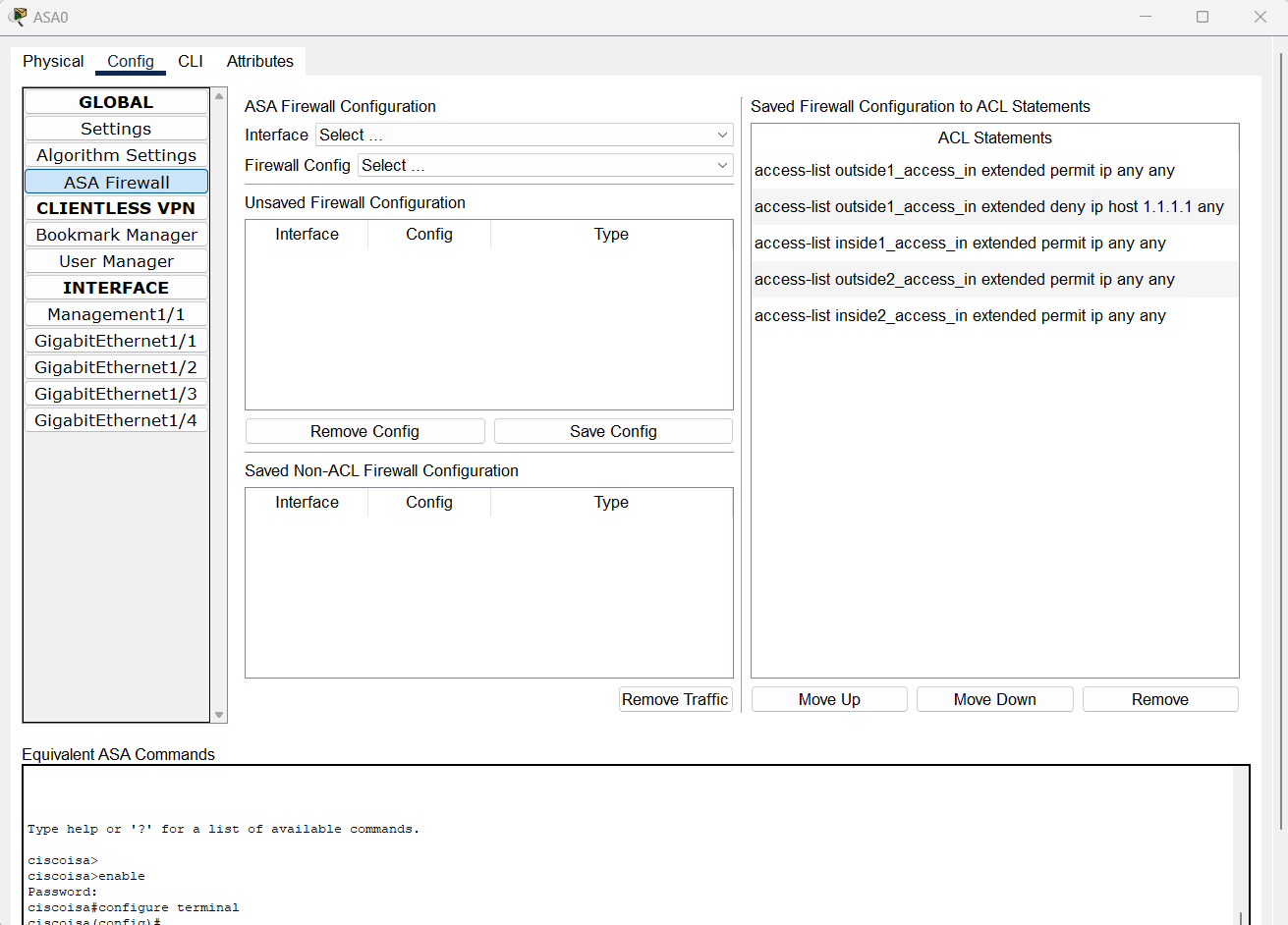
Block a Source IPv4 Address
- Select an interface
- Select Block a source IPv4 address
- Enter an IPv4 address in the input box Host Ipv4
- Click on the button Add
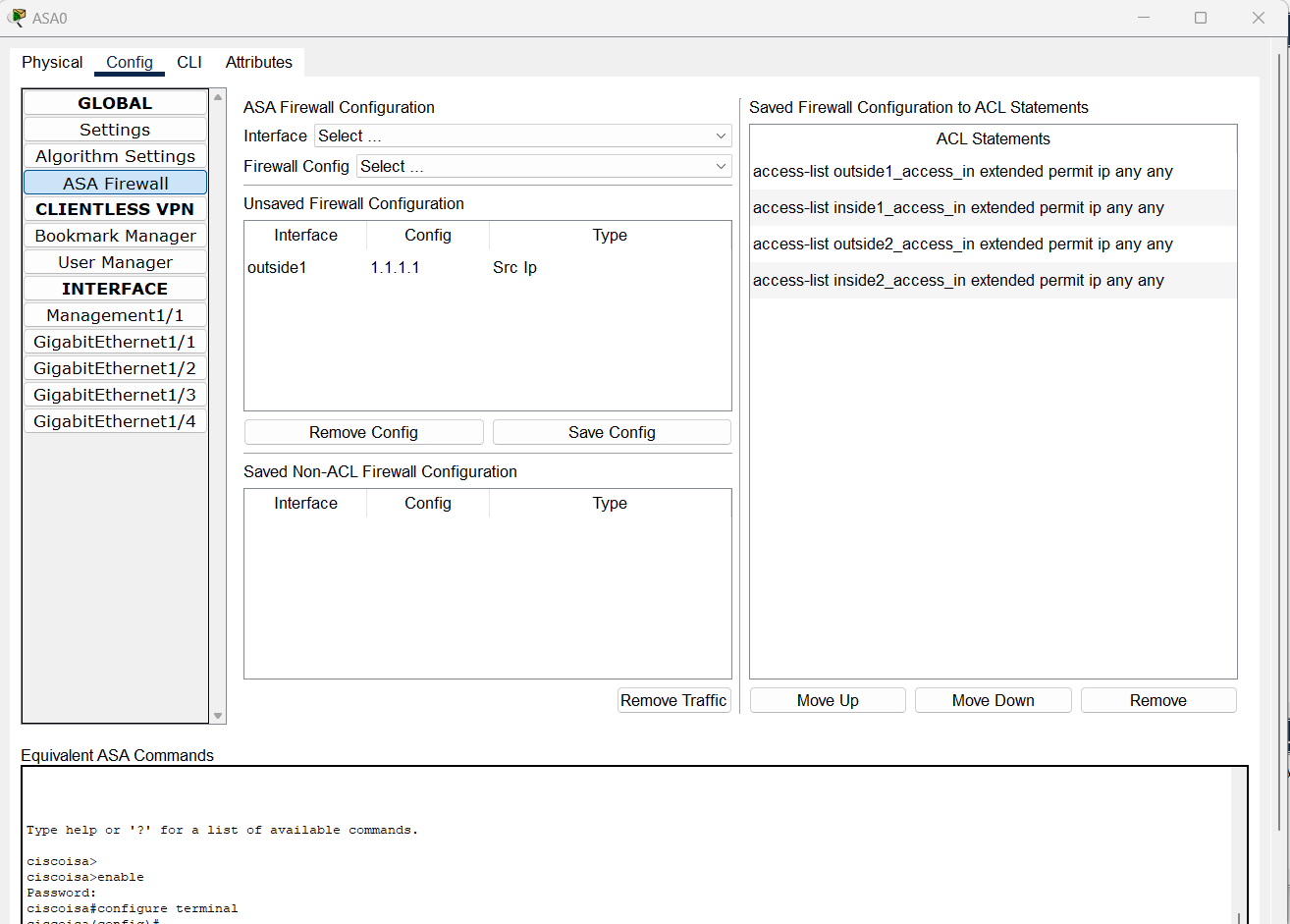
- Observe the entry is added in the Unsaved Firewall Configuration table
- Click on Save Config and observe that the config is saved as an ACL statement access-list [if-name]_access_in extended deny ip host [X.X.X.X] any
- Highlight the newly added statement. Move the statement up above the ACL access-list [if-name]_access_in extended permit ip any any
Examples:
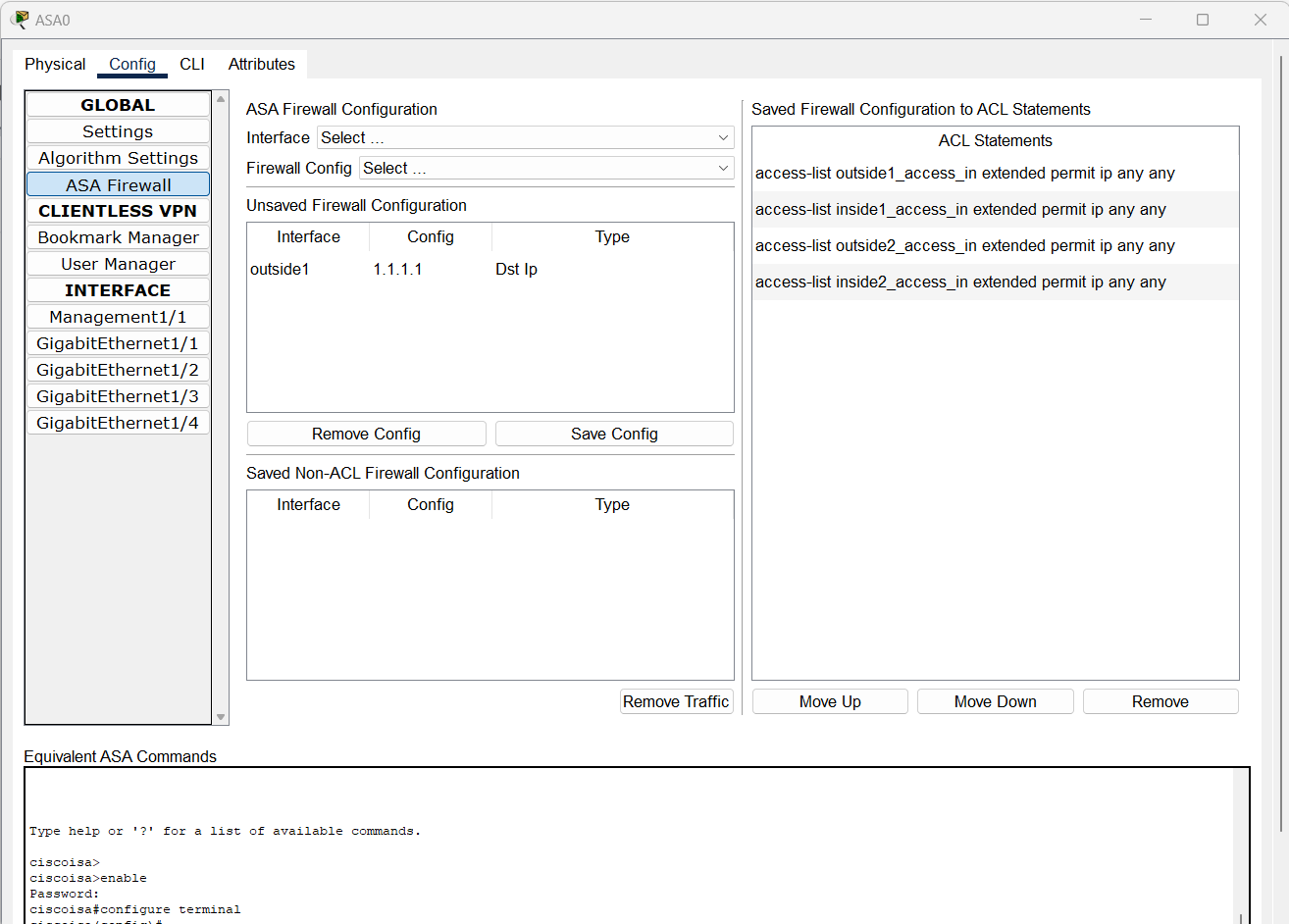
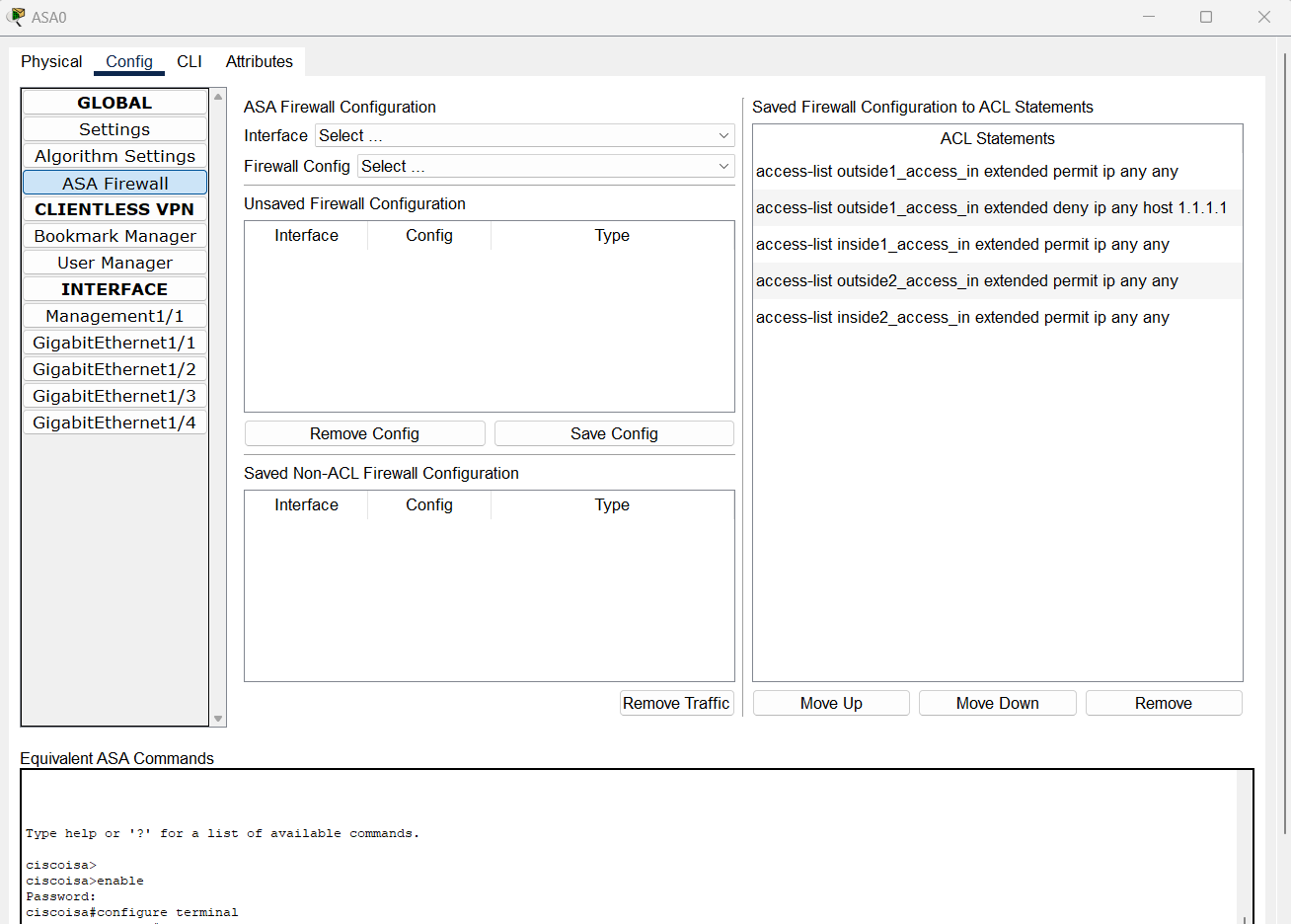
Block a Destination IPv4 Address
- Select an interface
- Select Block a destination IPv4 address
- Enter an IPv4 address in the input box Host Ipv4
- Click on the button Add
- Observe the entry is added in the Unsaved Firewall Configuration table
- Click on Save Config and observe that the config is saved as an ACL statement access-list [if-name]_access_in extended deny ip host [X.X.X.X] any
- Highlight the newly added statement. Move the statement up above the ACL access-list [if-name]_access_in extended permit ip any any
Examples:
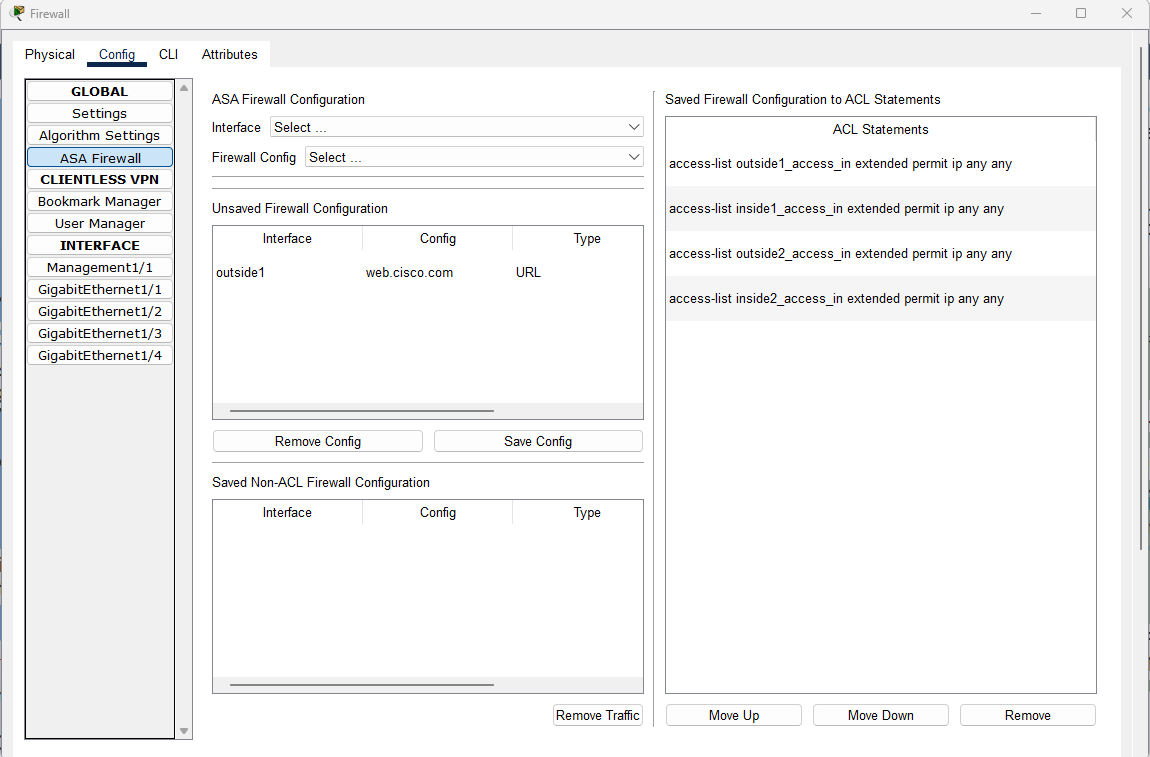
Block a URL
- Select an interface
- Select Block a URL
- Enter a URL in the input box URL
- Click on the button Add
- Observe the entry is added in the Unsaved Firewall Configuration table
- Click on Save Config and observe that the config is saved as an ACL statement access-list [if-name]_access_in extended deny ip any object [URL]
- Highlight the newly added statement. Move the statement up above the ACL access-list [if-name]_access_in extended permit ip any any
- On the CLI window, execute show running-config and observe that these commands are added:
object network obj-[URL]
fqdn [URL]
Examples:
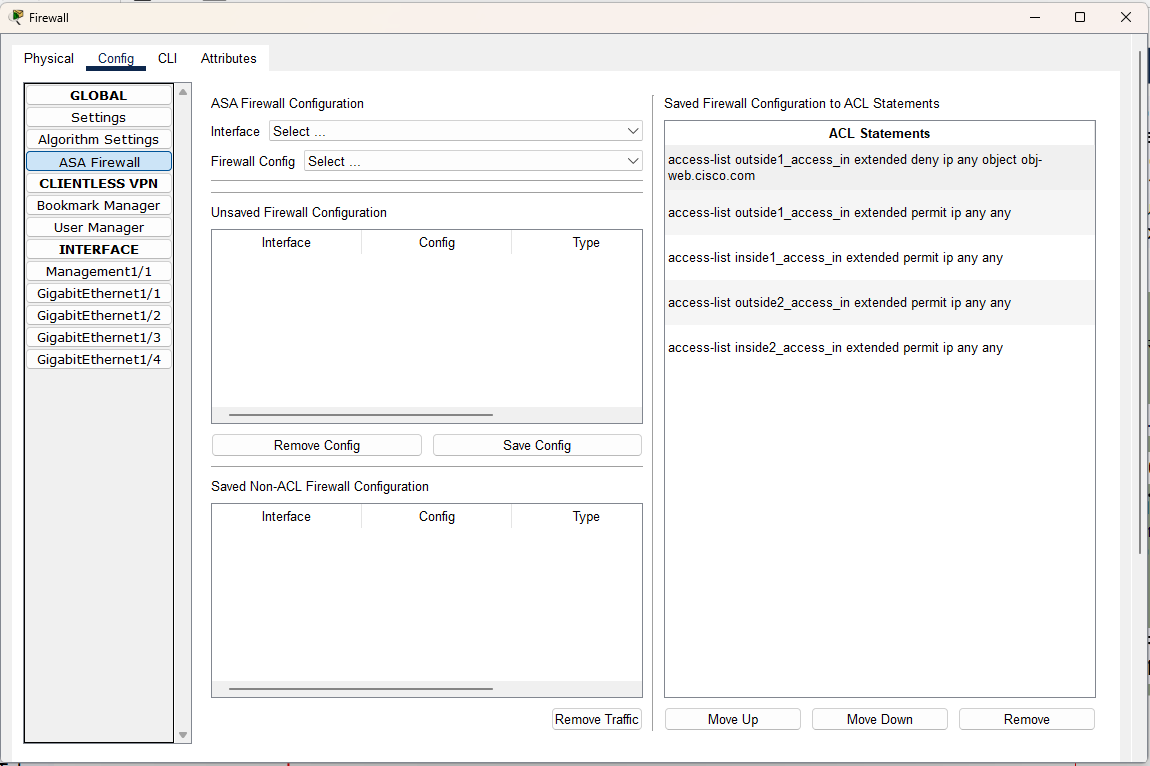
Block a URL from a Host
- Select an interface
- Select Block a URL from a host
- Enter an IPv4 address in the input box Host Ipv4
- Enter a URL in the input box URL
- Click on the button Add Both
- Observe the entry is added in the Unsaved Firewall Configuration table
- Click on Save Config and observe that the config is saved as an ACL statement access-list [if-name]_access_in extended deny ip any object [URL]
- Highlight the newly added statement. Move the statement up above the ACL access-list [if-name]_access_in extended permit ip any any
- On the CLI window, execute show running-config and observe that these commands are added:
object network obj-[URL]
fqdn [URL]
host [X.X.X.X.]
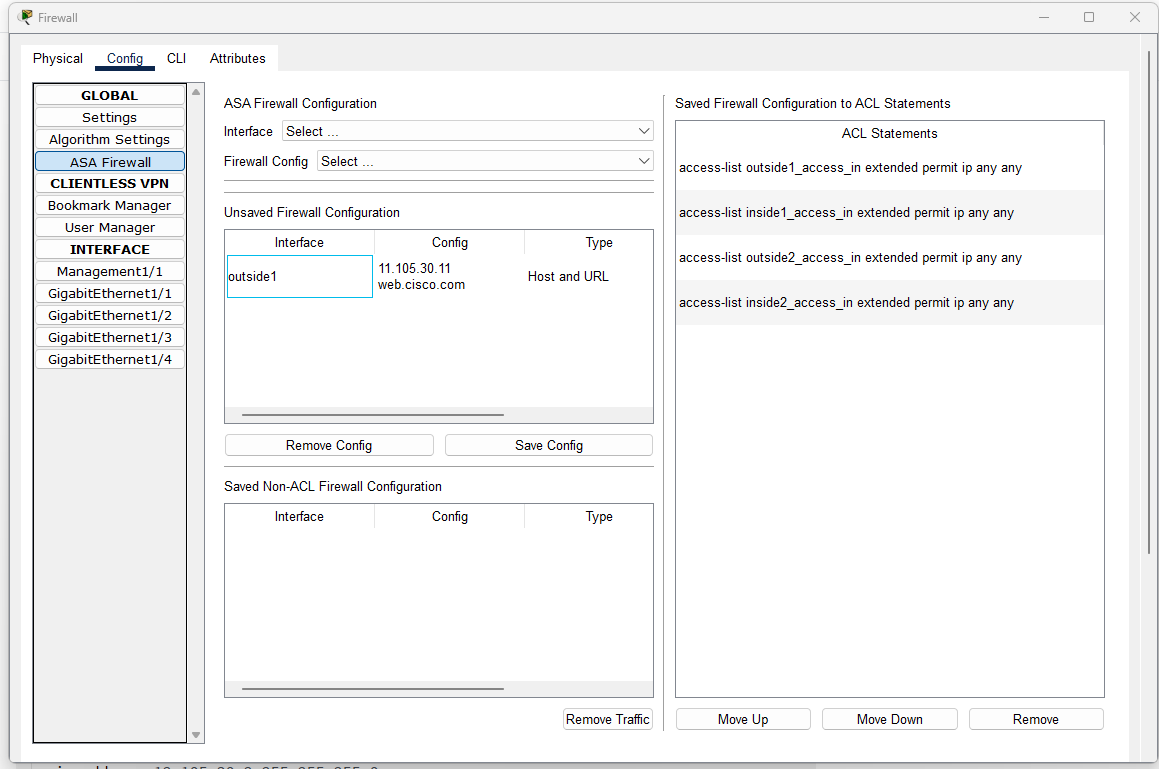
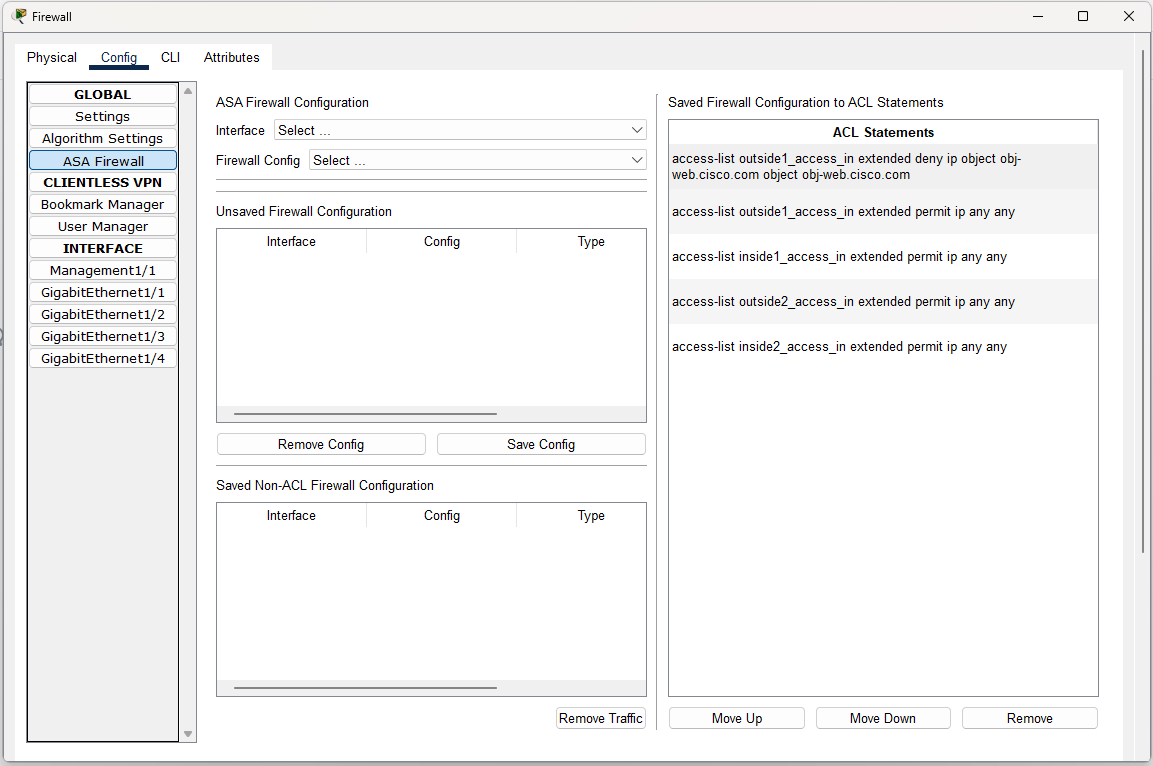
Block a Traffic Type
- Select an interface
- Select Block a traffic type
- Select a type of traffic to block.
- Click on the button Add
- Observe the entry is added in the Unsaved Firewall Configuration table or in the Saved Non-ACL Firewall Configuration table
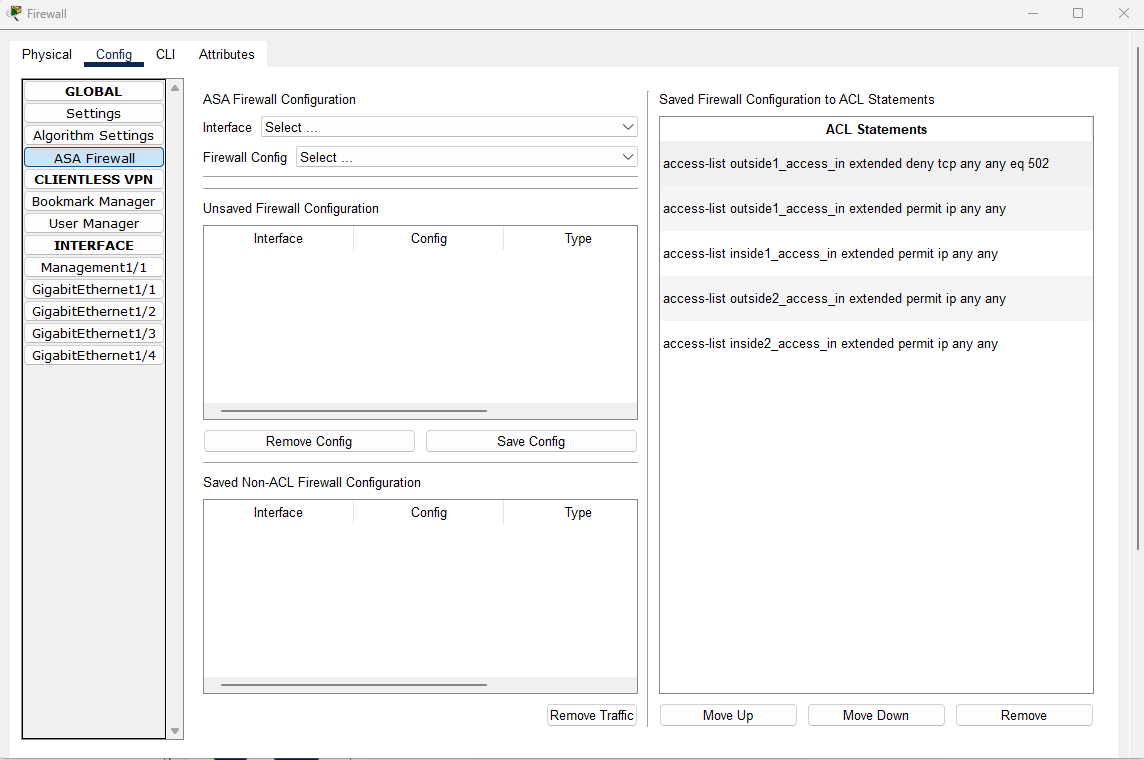
- Click on Save Config and observe that the config is saved as an ACL statement: access-list [if-name]_access_in extended deny [tcp/udp] any any eq [PORT-NUMBER]
- Highlight the newly added statement. Move the statement up above the ACL access-list [if-name]_access_in extended permit ip any any
Examples:
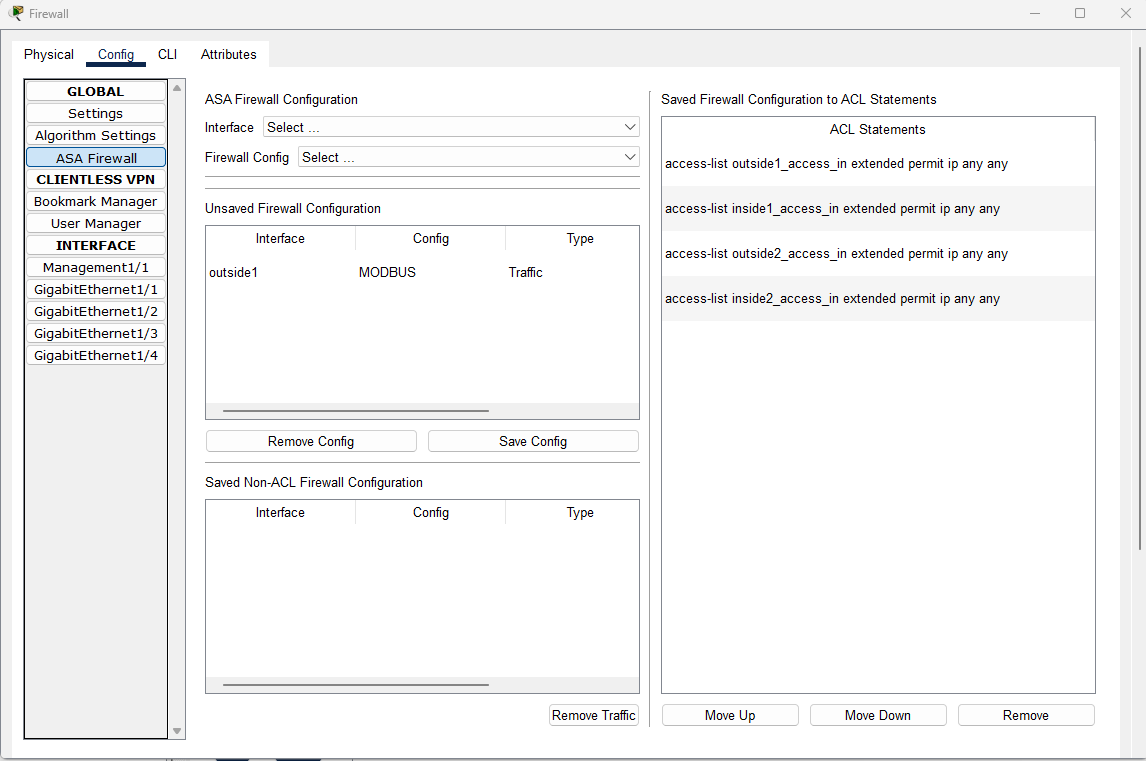
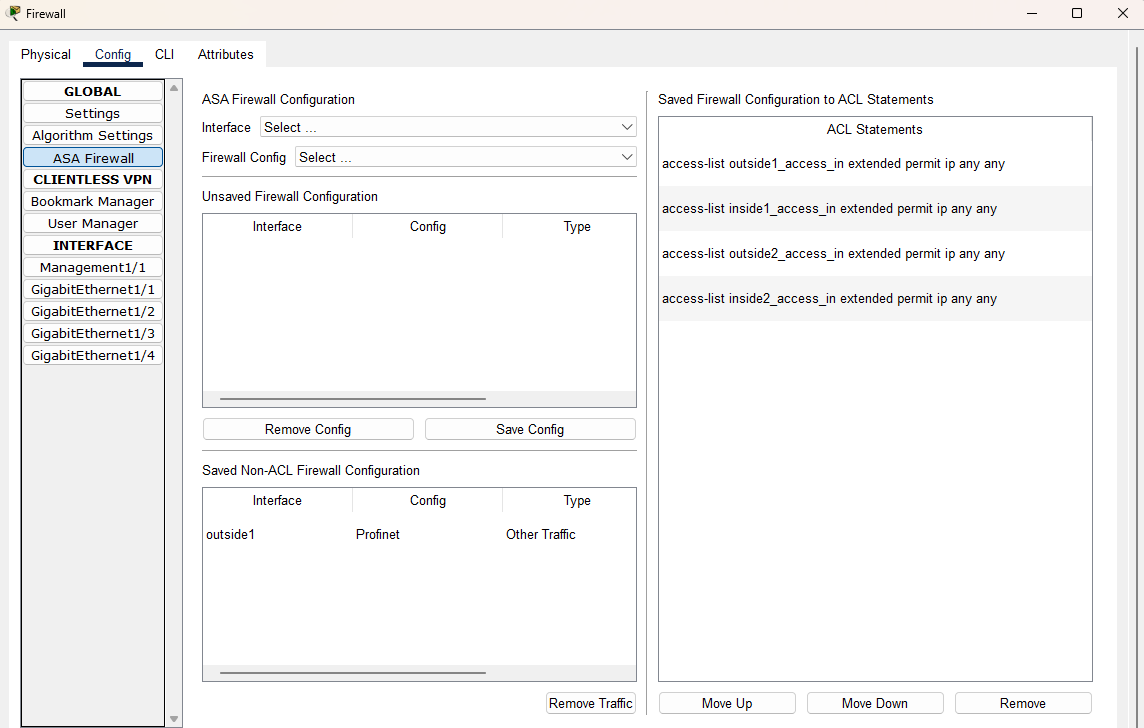
Block a Traffic Type from a Host
- Select an interface
- Select Block a traffic type from a host
- Enter an IPv4 address in the input box Host Ipv4
- Select a type of traffic to block
- Click on the button Add
- Observe the entry is added in the Unsaved Firewall Configuration table or in the Saved Non-ACL Firewall Configuration table
- Click on Save Config and observe that the config is saved as an ACL statement: access-list [if-name]_access_in extended deny [tcp/udp] host [X.X.X.X] any any eq [PORT-NUMBER]
- Highlight the newly added statement. Move the statement up above the ACL access-list [if-name]_access_in extended permit ip any any
Examples:
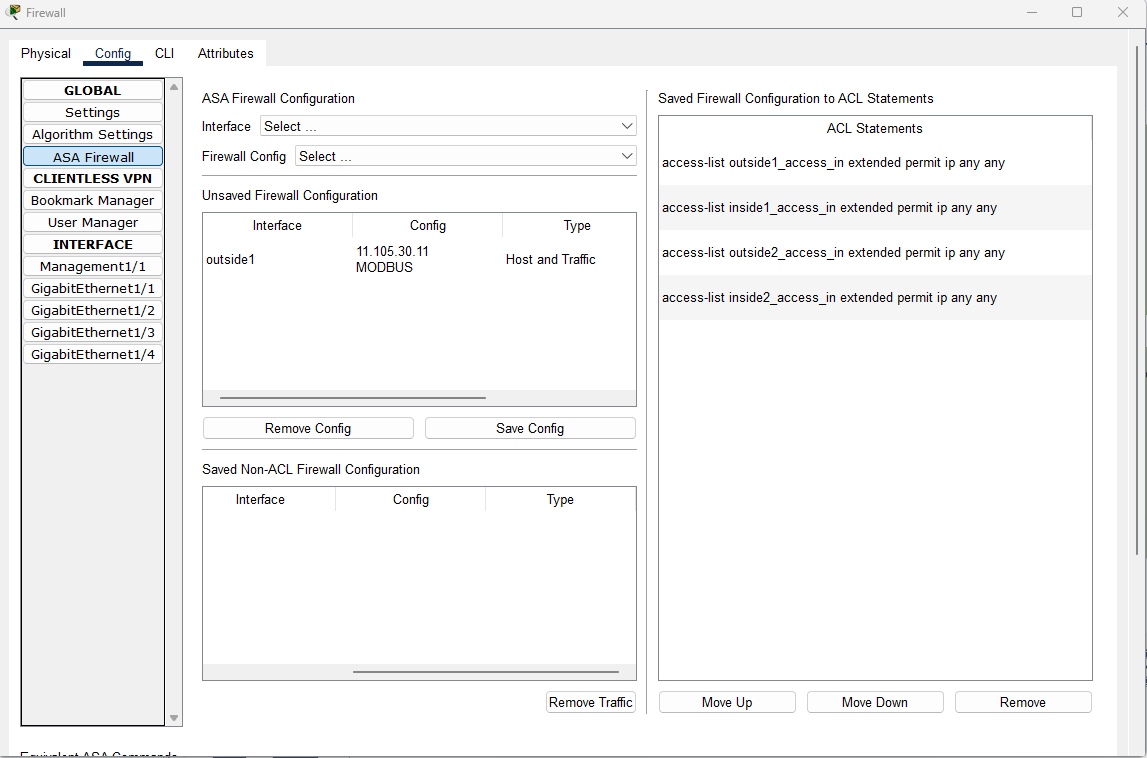
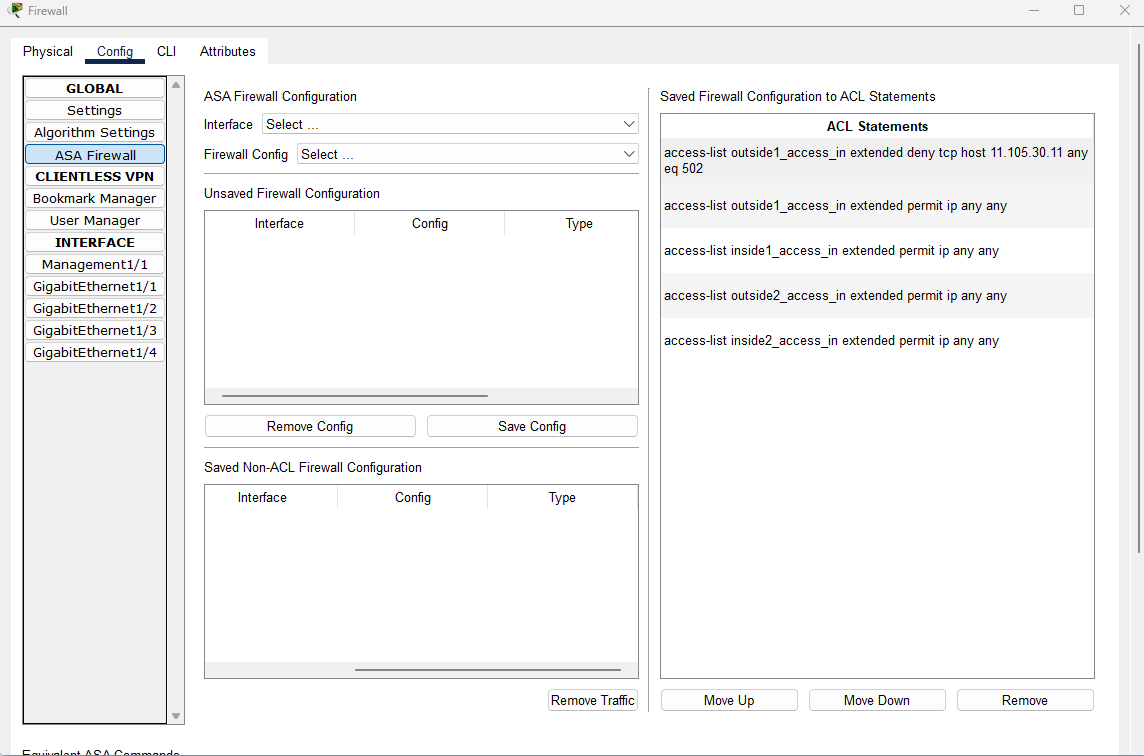
| Sample File |
Description |
isa3000_firewall.pkt.pkt |
This file demonstrates how the firewall on ISA-3000 filters traffic based on different configurations, such as blocking traffic from an IP address, from a URL or from a traffic type. |
Current Modeling Limitations
Firewall on ISA-3000 does not support Deep Packet Inspection (DPI) of industrial protocols and supports custom application detectors to create alerts or block traffic based on industrial application flows.
The firewall also does not support Application Awareness and Control. It can't block unauthorized commands or dangerous configuration parameters and inspect for unwanted applications or deviations.
In addition, the firewall does not support managed remote access for employees and third parties with optional multi-factor authentication, enabling secure VPN connections to manage remote sites and control vendor access.
Finally, it does not include the feature of hardware bypass to maintain traffic flow during power failures, dual power inputs, and quality-of-service policies to ensure operational continuity.