Ladder Logic

Ladder Logic is a graphical programming language used to create control logic for PLCs. In Packet Tracer, the Automation App on the PC is used to create and download Ladder Logic to the PLC. For instructions on installing and connecting to the PLC from this application, please refer to the PLC section.
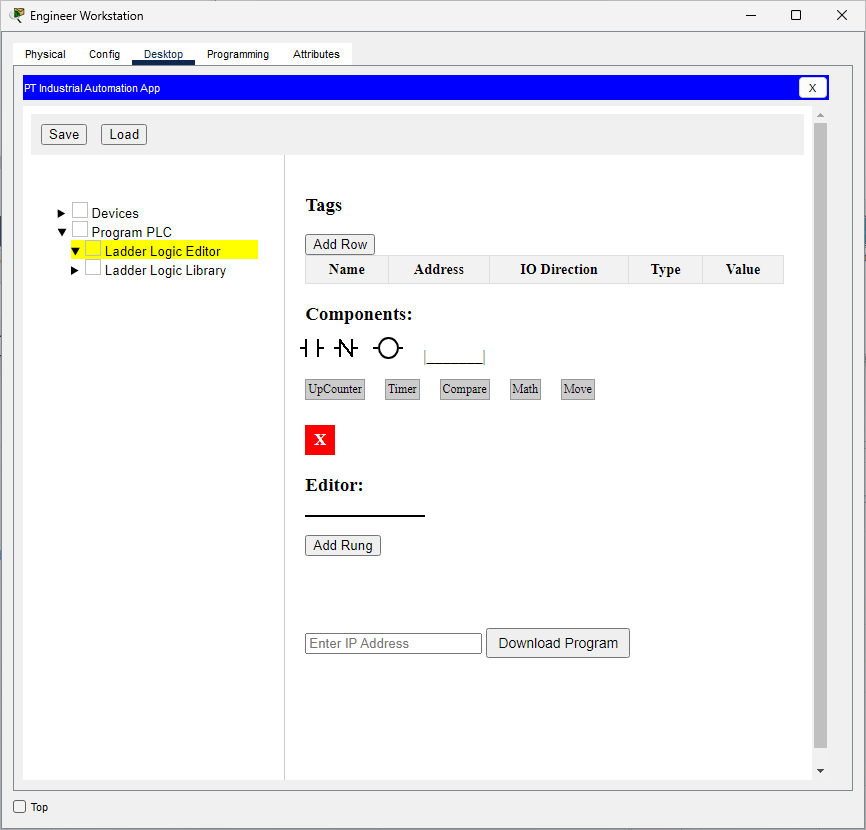
The Ladder Logic simulator in Packet Tracer includes common components such as Normally Open (NO) and Normally Closed (NC) contacts, as well as coils. You can also add custom components. By default, several custom components are included: UpCounter, Timer, Compare, Math, and Move.

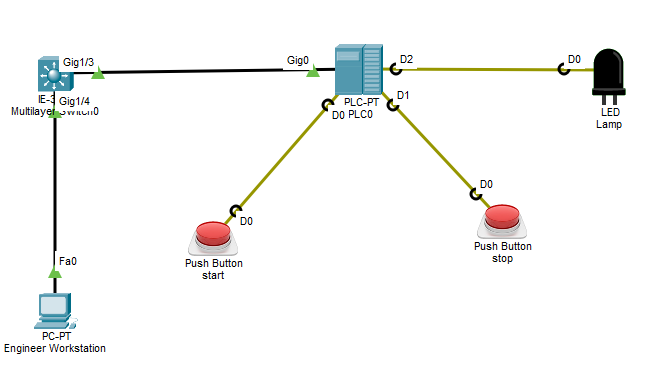
To get started, you can create a simple latching logic using the PT Industrial Automation App and download it to the PLC.

image.png


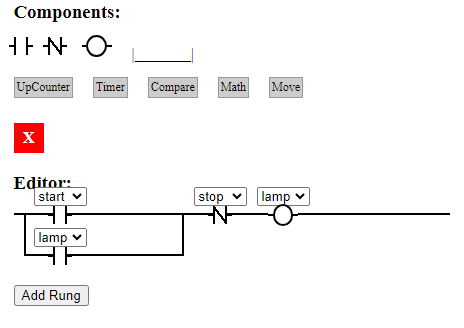
We want the “Lamp” to turn on when the "start" button is pressed and remain lit even after the button is released. The lamp will only turn off when the "stop" button is pressed.

To create the Ladder Logic, use the Ladder Logic Editor in the PT Industrial Automation App.
image.png

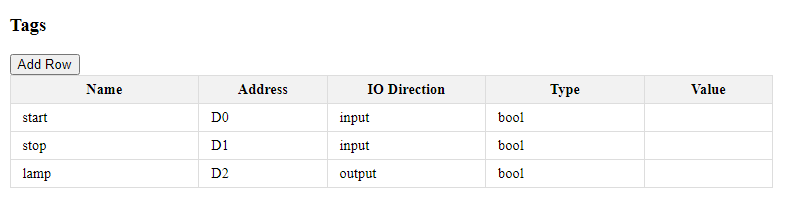
Next, create the Tags table.
image.png

After that, create the Ladder Logic by dragging components into the editor’s rung.
image.png

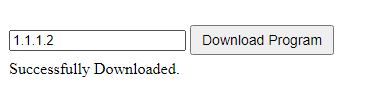
Finally, download the program to the PLC by entering its IP address and clicking “Download Program.”

image.png

Examples

Sample File Description

latching-with-plc.pka

In this lab, you will create a light latch. When you press the "start" button, the light turns on and remains lit even after you release the button. The light will only turn off when you press the "stop" button.

timer-plugin.pka

This activity demonstrates how to use a Timer control block in a PLC.

up-counter-plugin.pka

This activity demonstrates an UP Counter control block in the PLC. Each time the input changes from OFF to ON, the counter’s ACC value increases by 1. The ACC value is assigned to a coil and output to terminal A1. An LCD is connected to display this value.


Current Modeling Limitations

Only a limited set of ladder instructions is available. However, users can create custom control blocks; see the timer-plugin and up-counter-plugin as examples.

Signals are logical only—there is no simulation of voltage levels, current flow, or other electrical properties.