Program Structure and Events |
| Function |
Return Type |
Description |
Example |
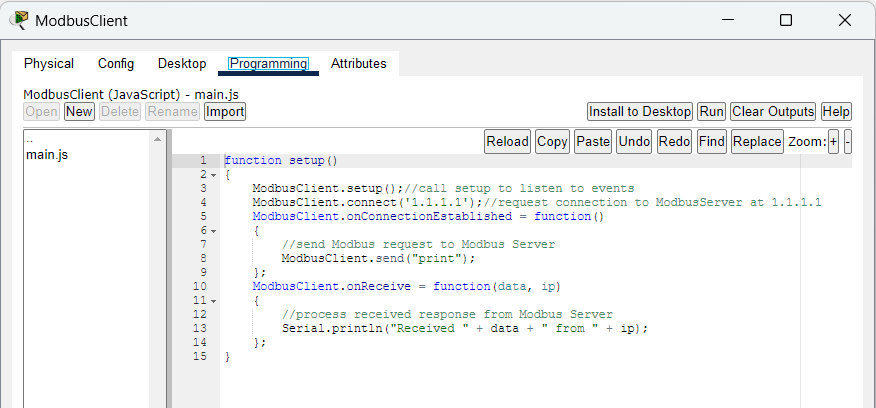
Modbus Client:
setup() |
N/A |
Enables Modbus client on the device. |
ModbusClient.setup() |
Modbus Client:
connect(ip) |
bool |
Opens a TCP connection to the server. |
ModbusClient.connect("1.1.1.1"); |
Modbus Client:
onConnectionEstablished() |
N/A |
Sets the callback for when the connection to the server is establised. |
ModbusClient.onConnectionEstablished = function() {}; |
Modbus Client:
onReceive(data, sourceIp) |
N/A |
Sets the callback for when the requested data are received. |
ModbusClient.onReceive = function(data, ip) {}; |
Modbus Client:
send(data) |
N/A |
Sends request to the server. Data can be in any structure. Users control how ModbusClient and ModbusServer process sent and received data. |
ModbusClient.send('print'); |
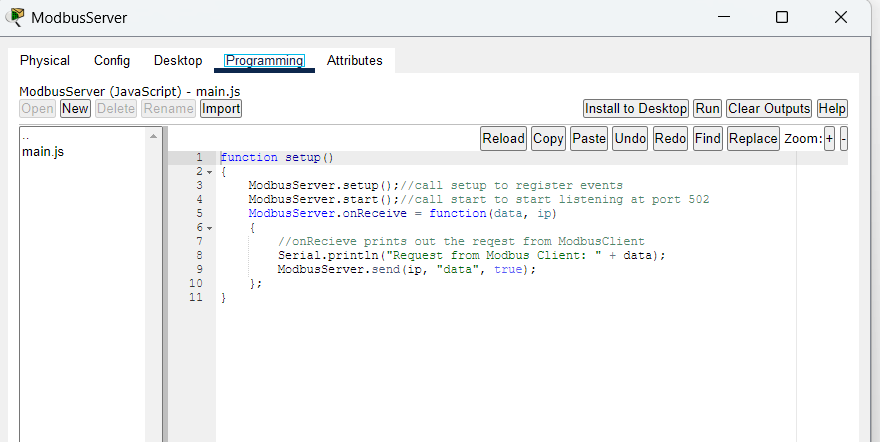
Modbus Server:
setup() |
N/A |
Enables Modbus server functionalities on the device. |
ModbusServer.setup(); |
Modbus Server:
start() |
N/A |
Starts the Modbus Server process. |
ModbusServer.start(); |
Modbus Server:
onReceive(data, sourceIp) |
N/A |
Sets the callback for when the requested data are received. |
ModbusServer.onReceive = function(data, ip) {}; |
Modbus Server:
send(ip, data) |
N/A |
Sends response to the client at a specific ip address. Data can be in any structure. Users control how ModbusClient and ModbusServer process sent and received data. |
var ptObject1={"bit_1":index,"Bit_2":index+20};
ModbusServer.send('10.0.0.4', JSON.stringify(ptObject1)); |