PROFINET

PROFINET controllers and devices are simulated in Packet Tracer by utilizing the PTINTERNAL script module.


Devices

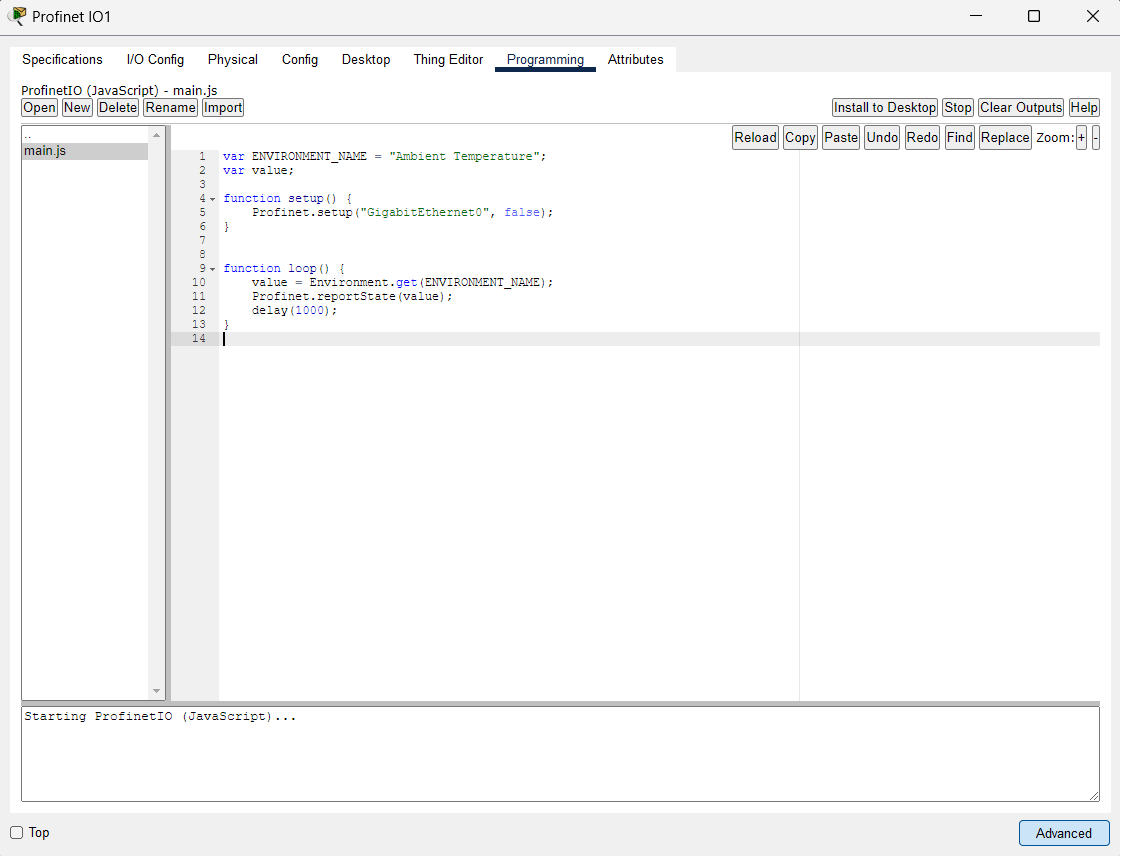
In a simulated device such as "Things", create an empty JavaScript program and enable PROFINET by calling Profinet.setup within the program.

Profinet device


Controllers

Controllers are PLCs that contain a Ladder Logic runtime supporting PROFINET.
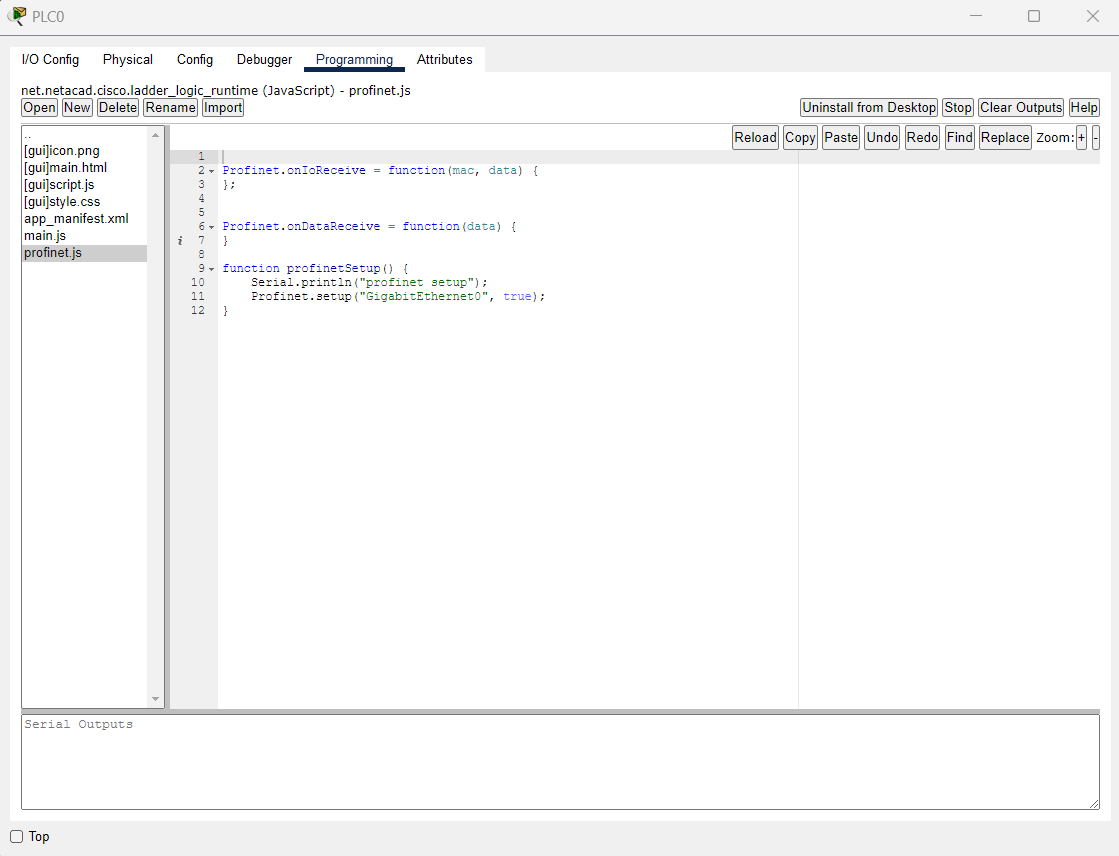
Profinet controller


Engineering Workstations

Engineering workstations are PCs with the "PT Industrial Automation App" (PTIAA) installed.
To install the "PT Industrial Automation App," create a PC device within the workspace. You can find the app by going to the Desktop tab of the device.
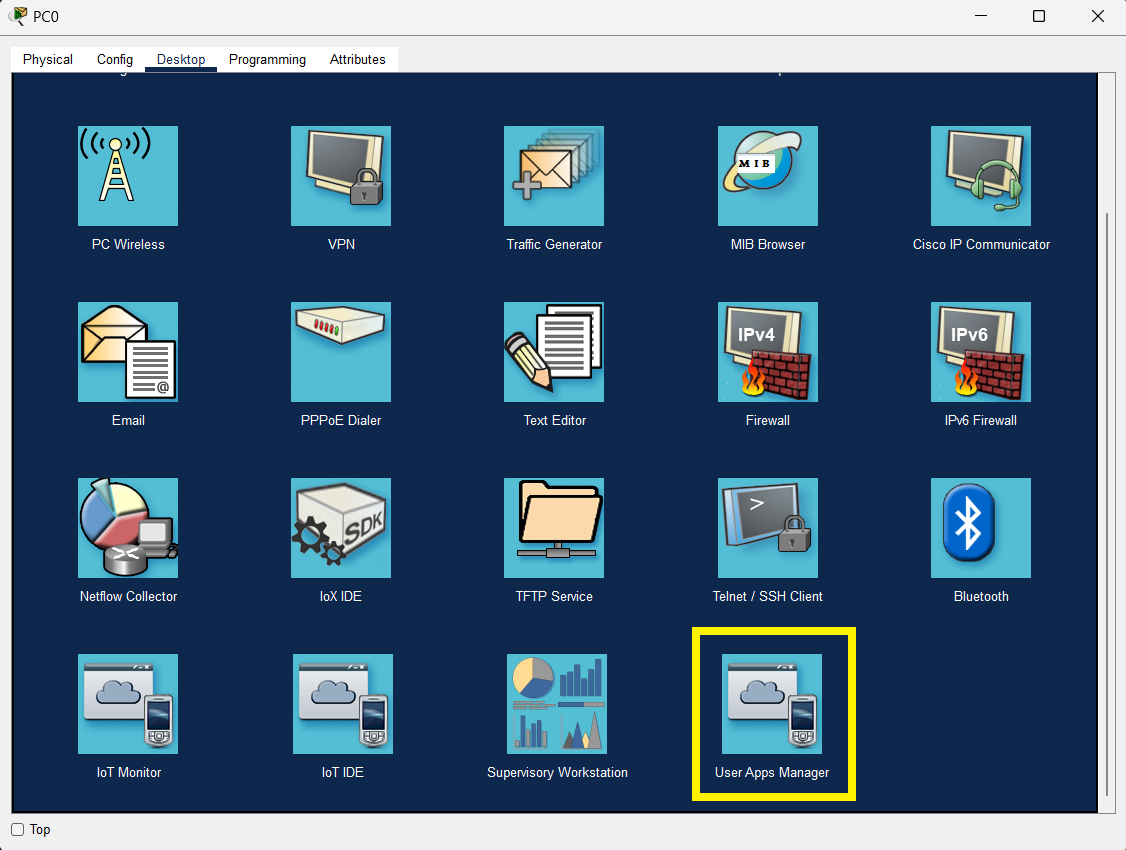
Engineering Workstation


Click the Install button to install the application.
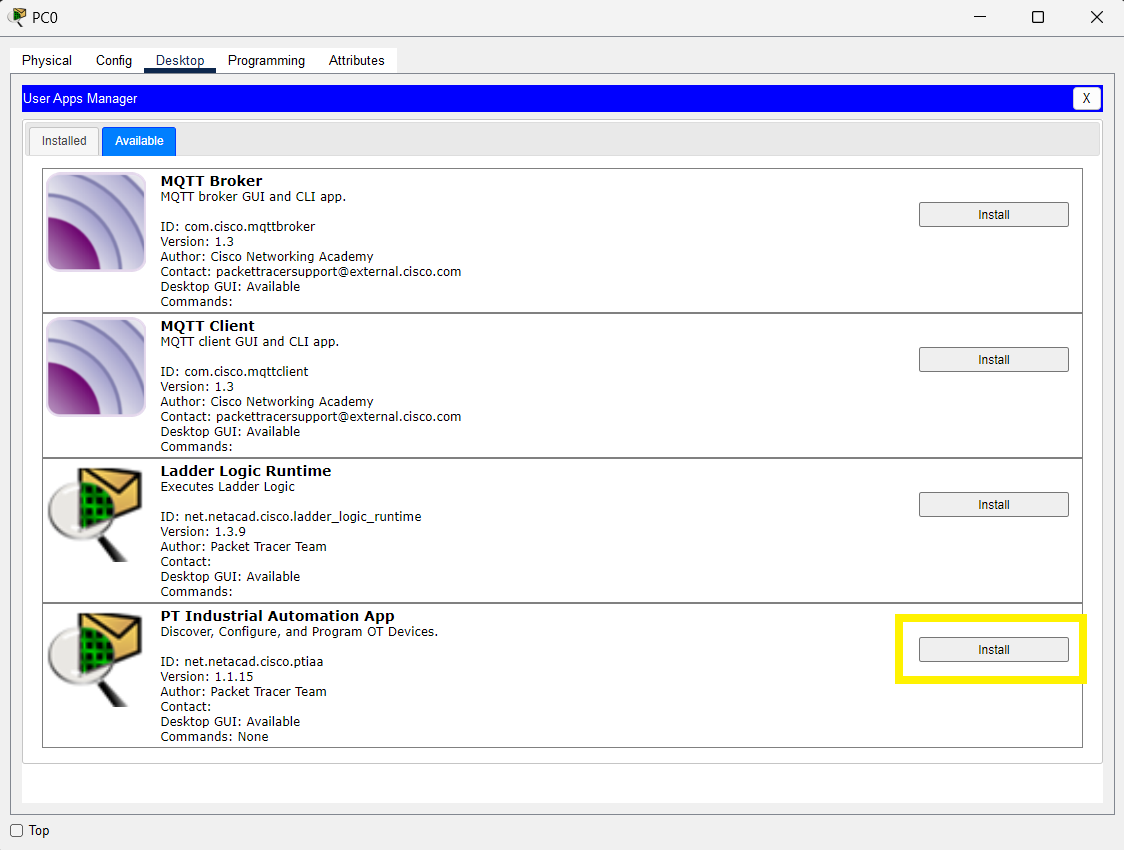
App manager


Go back to the Desktop tab and click the "PT Industrial Automation App" icon to run it.
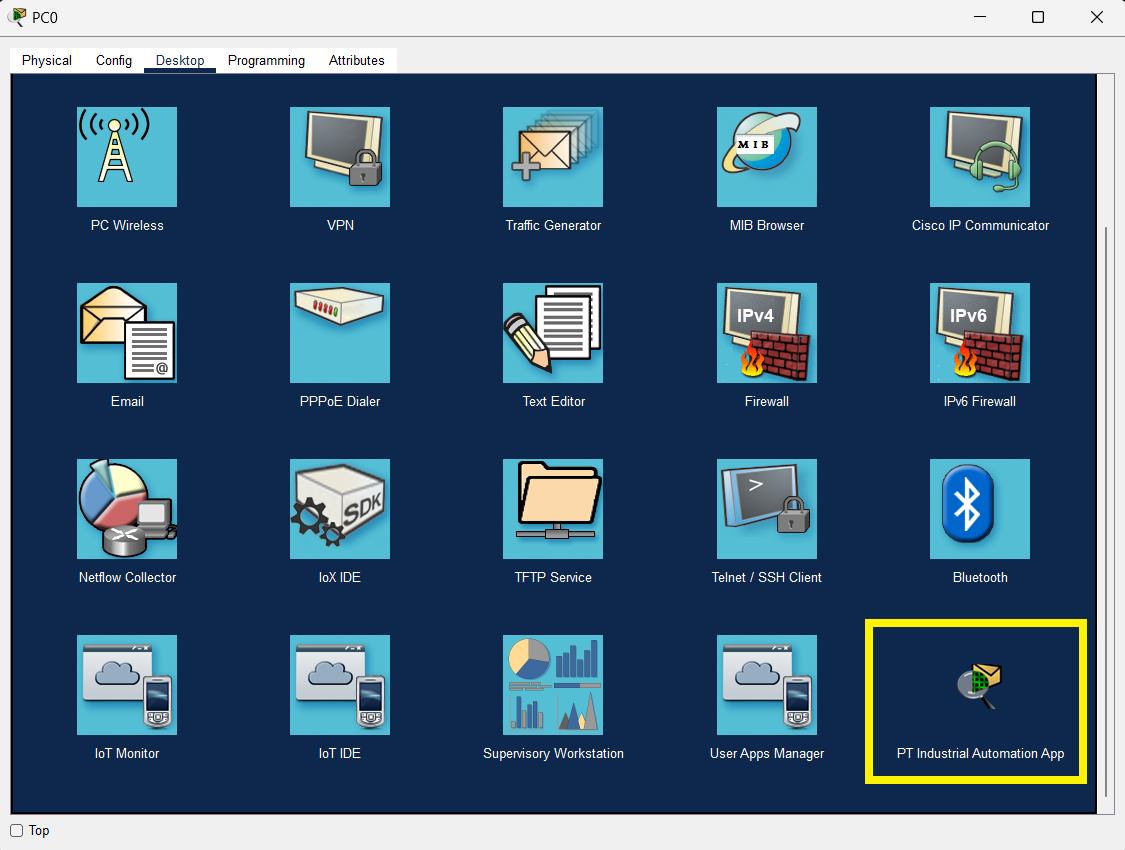
Run ptiaa


Running PROFINET

Create a topology with Things, PLCs, IE-3400s, and PCs. Enable PROFINET on those devices.
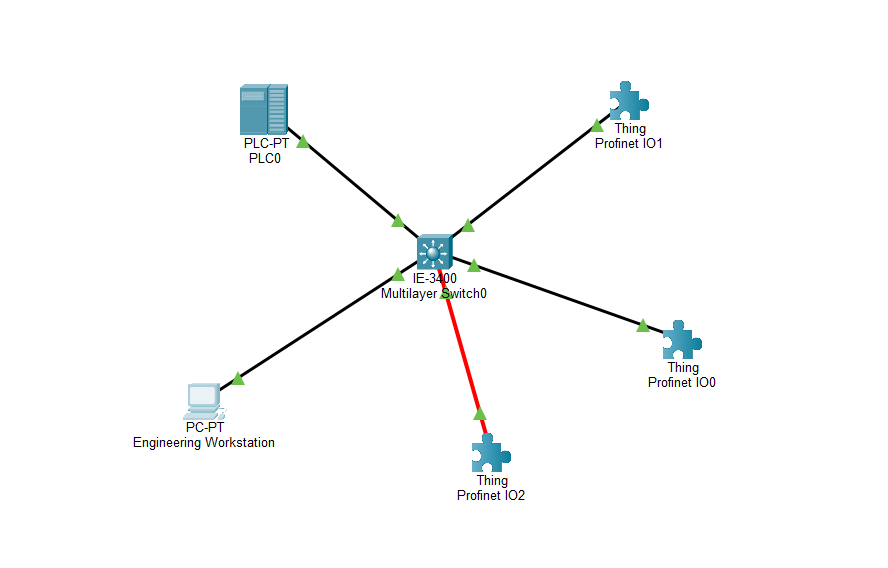
PROFINET topology


Run PTIAA and perform PROFINET discovery on the network.
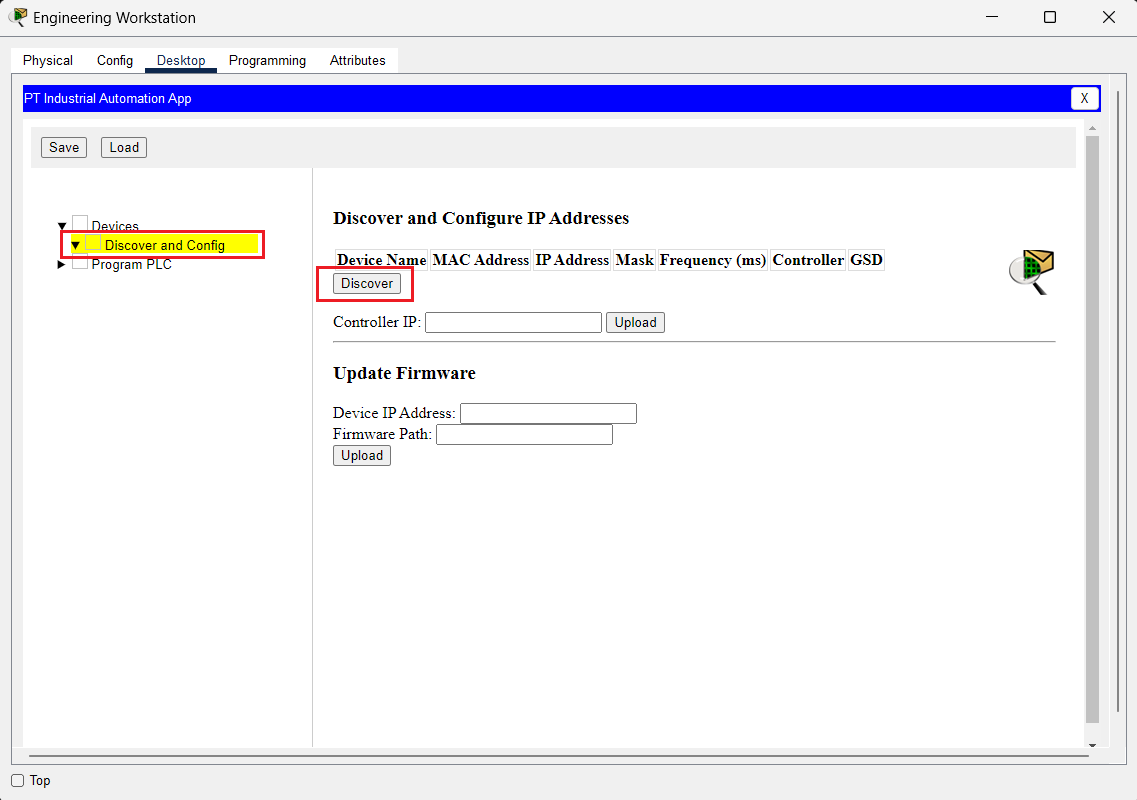
PROFINET discovery


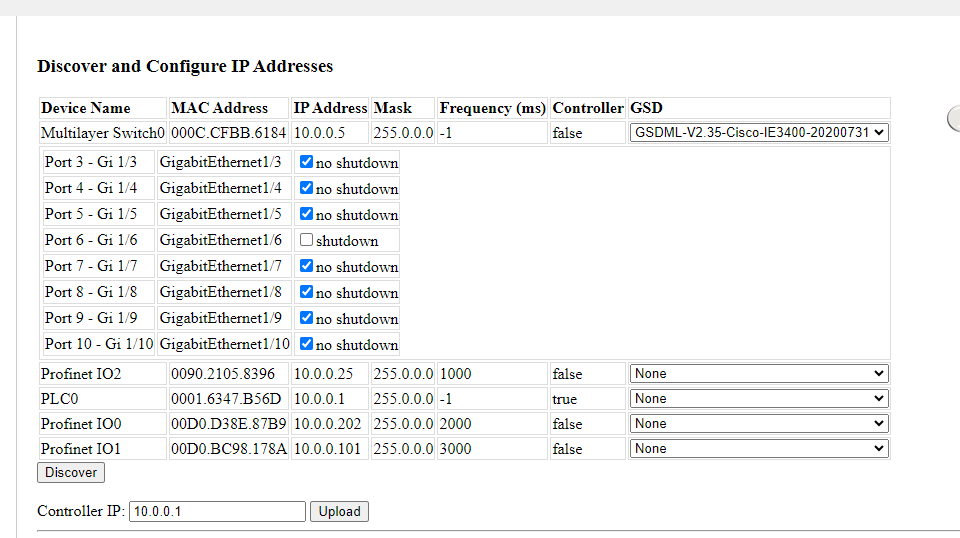
In this particular topology, some devices are already configured with IP addresses:
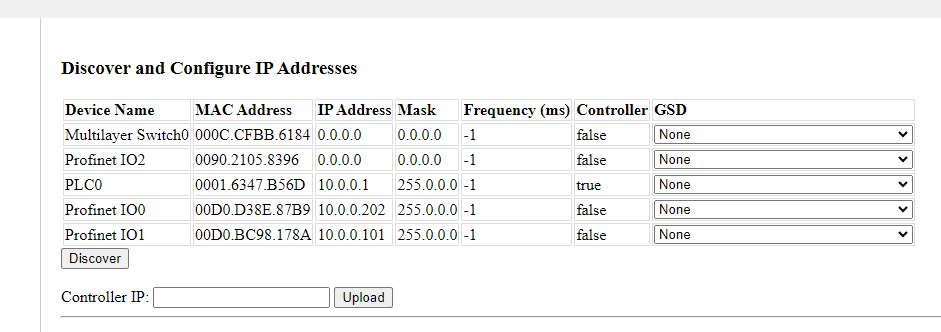
PROFINET discovery


Configure the VLAN interface of the IE-3400 with the IP address 10.0.0.5/24.
Using the supplied GSD file, shut down the GigabitEthernet1/6 interface to Profinet IO1.
Configure I/O devices with IP addresses and frequencies.
Upload the configuration to the PLC by specifying the PLC's IP address and clicking the "Upload" button.
IoE Registration Server Conditions Page


JavaScript API

Program Structure and Events

Function 

Return Type

Description 

Usage

Example 

setup(portName, isController)

N/A

Enables PROFINET on the port with Device or Controller functionality.

Controller, Device

Profinet.setup("GigabitEthernet0", true);

reportState(state)

N/A

Sets I/O value.

Device

var value = Environment.get("Ambient Temperature");
Profinet.reportState(value);

send(name, data)

N/A

Sends data to the named device.

Controller

var value = JSON.parse(args);
Profinet.send("IO1", value);

controller(ip, data)

N/A

Uploads PROFINET configuration from the workstation to the controller.

Workstation

var tableData = [];
var io1 = {};
io1.mac="0090.2105.8396";
io1.ip="10.0.0.25";
io1.mask="255.0.0.0";
io1.frequency=1000;
tableData.push(io1);
var io2 = {};
io2.mac="0001.6347.B56D";
io2.ip="10.0.0.25";
io2.mask="255.0.0.0";
io2.frequency=1000;
tableData.push(io2);
var data = {};
data.devices=tableData;
data.ip="10.0.0.1";
Profinet.controller("10.0.0.1", JSON.stringify(data));

install()

N/A

Enables PROFINET on the device.

Workstation

Profinet.install();

discover()

N/A

Performs PROFINET discovery.

Controller, Workstation

Profinet.discover();

ioDeviceCount()

int

Returns the number of devices known by the controller.

Controller, Workstation

var deviceCnt = Profinet.ioDeviceCount();

getIoDevices()

string

Returns information on all devices known by the controller in JSON string format.

Controller, Workstation

var deviceCnt = Profinet.ioDeviceCount();

getGsd(gsdFileName)

string

Returns GSD content in JSON string format.

Controller, Workstation

var gsd = Profinet.getGsd("GSDML-V2.35-Cisco-IE3400-20200731");

serialize()

byte array

Saves PROFINET information.

Controller, Workstation, Device

function serializeEvent() {
  try {
    var f = FileSystem.open("/profinet", File.WRITE);
    f.println(Profinet.serialize());
    f.close();
  }
  catch(e) {
    Serial.println("ERROR: serialize failed")
    Serial.println(e);
  }
}

deserialize(content)

bool

Loads saved PROFINET information.

Controller, Workstation, Device

function deserializeEvent() {
  try {
    if (!FileSystem.exists("/profinet"))
      return;
    var f = FileSystem.open("/profinet", File.READ);
    var dataStr = f.readln();
    Profinet.deserialize(dataStr);
  }
  catch(e) {
    Serial.println("ERROR: deserialize failed.")
    Serial.println(e);
  }
}

onDeviceUpdated

N/A

Sets the callback that is invoked when a device is discovered or updated.

Controller, Workstation

Profinet.onDeviceUpdated = function() {};

onIoReceive

N/A

Sets the callback that is invoked when I/O data is received.

Controller

Profinet.onIoReceive = function(mac, data) {};

onDataReceive

N/A

Sets the callback that is invoked when command data is received.

Device

Profinet.onDataReceive = function(data) {};


Examples

Sample File Description

hmi-arm-profinet.pkt

Demonstrates how to use Profinet in an industrial setting.

profinet.pkt

Provides step-by-step instructions on how to configure Profinet in Packet Tracer.


Current Modeling Limitations

PROFINET PDUs can be viewed in simulation by enabling the "Profinet" and "UDP" filters. The PDUs do not show PROFINET in detail.